Token2Any Style Converter Online
Token2Any is an independent browser-based Token2Any-style effect converter for game frames and character images. Generate a new style, lighting or material direction, compare the reference, and optionally upscale it — no GPU, no installation.
Try a free example without an account · Upload your own image after signing in · Request Token2Any Studio access
Need to sharpen an existing image instead of changing its style? Run the no-login visual enhancer example, then open the image quality workflow for your own image.
Choosing between image workflows? Compare AI image tools with runnable examples, source-linked references and a repeatable review checklist.
Want to inspect the result first? Browse the independent Token2Any before-and-after evidence page with image dimensions, controls, limits and six-second reference videos.
Want the measured evidence instead of a screenshot? Open the Token2Any benchmark evidence center — what we measured, the fields every result must record, and the claims we deliberately leave blank.
The conversion workflow keeps the original pose, silhouette and identity as reviewable constraints. Separate upscale and restoration modes recover edges and texture without claiming official Token2Any runtime processing.
- Upscale, denoise and sharpen images up to 4K
- Also available: AI image generation, image editing and video super-resolution
- Runs in the browser; web API access for developers
Plans
- Free — 10 credits per month, 3 generations per day
- Pro — $19 per month, 500 credits, 50 generations per day
- Team — $79 per month, 2,000 credits, 200 generations per day
Subscriptions renew monthly and can be cancelled at any time; unused credits do not roll over.
Contact
Questions about plans, invoicing or the API: support@token2any.com
What the conversion produces
Token2Any convert turns a game frame or character image into a reviewable visual reference: keep pose, silhouette and identity stable while generating a new style, lighting and material direction. These original examples are independent references, not official NVIDIA captures or Token2Any runtime output.
Token2Any effect converter: game character style generation
Start with the game-focused path, compare the original frame with the converted reference, and inspect faces, hands, gear edges and cloth before downloading. The NVIDIA 3D-Guided Neural Rendering article describes the engine-side ideas that inspired this independent browser workflow.
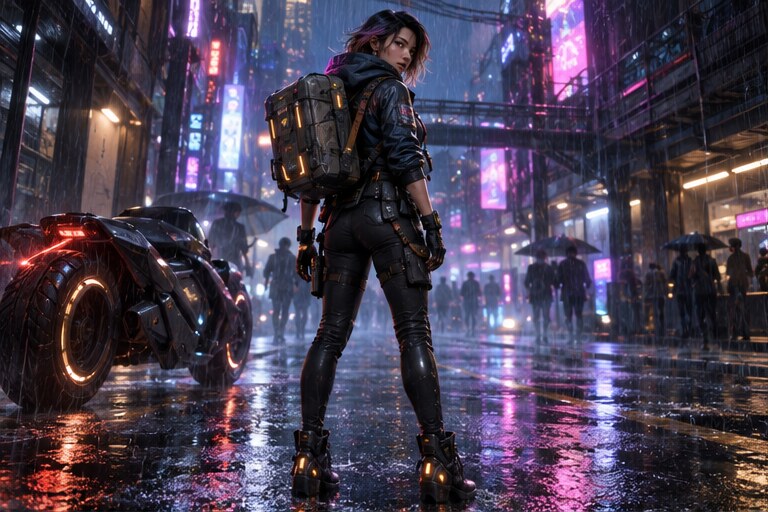 Cyberpunk courier · converted style reference
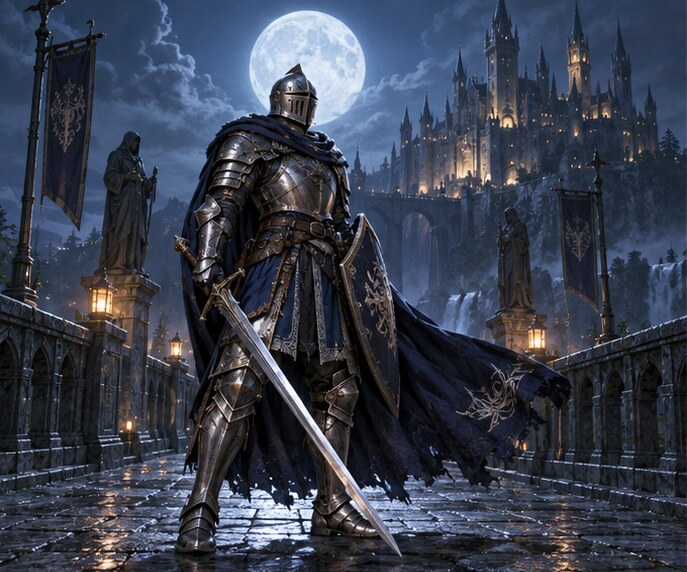 Moonlit knight · converted style reference
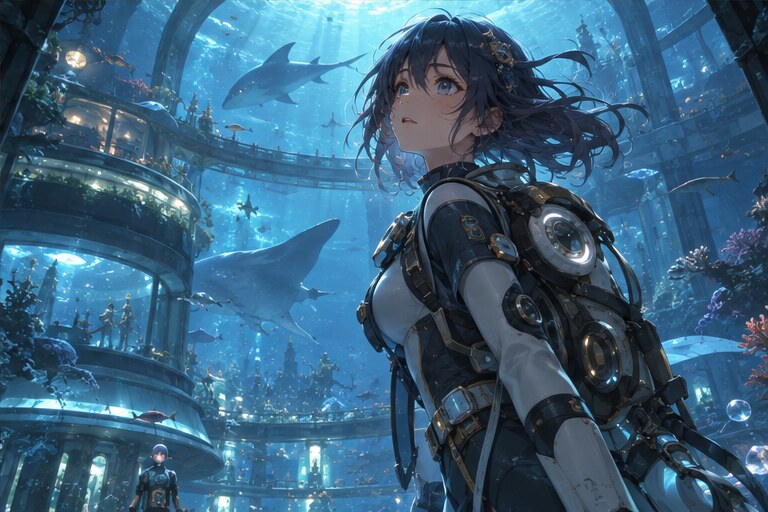 Underwater explorer · converted style reference
Upscale and restoration references
After conversion, separate upscale and restoration workflows can recover edges and texture. Compare the input and output at 100% and keep the original beside every exported result.
Browse all 20 game character before-and-after cases · Start the style conversion workflow · Explore the AI video upscaler workflow
Related visual workflows
For adjacent visual-production jobs, see Token2Any.app Neural Architect GPU checker, RenVi AI interior design, PixelHouse AI spatial design and Image2LEGO 3D builder. These companion tools have separate jobs and workflows.
Free AI image tools
AI tools for upscaling, restoration, portraits, virtual try-on, interior renders and image editing. Each page states its input limits and output size, and shows a worked example with its result.
- AI Image Upscaler — enlarge a small image 2× or 4× without changing its composition
- Image Quality Enhancer — sharpen a soft or heavily compressed photo
- Unblur Image — clean up a photo that came out blurry
- Free Old Photo Restoration — preview faded or compressed family-photo enhancement while keeping the original scan for comparison
- Free AI Headshot Enhancer — preview a professional portrait cleanup without asking for a new identity
- Image to SVG — trace a logo or illustration into a scalable vector file
- Remove Background — cut the subject out onto transparency as a PNG
- Erase Object — remove an object and rebuild what it was covering
- Virtual Try-On — put a product photo of a garment on a person, keeping the face, pose and background
- Interior Design Render — turn an empty or unfinished room into a furnished render without moving a wall or a window
- Portrait Retouch — even skin and brighter eyes at three levels, with the identity and face shape kept
- Virtual Makeup — apply one of six makeup looks to a portrait at three intensities
- Video Downloader — paste a YouTube, Bilibili, Douyin or TikTok link and save the file that site serves, up to 1080p or audio only
- Mejorar la calidad de imagen — the quality enhancer written for Spanish readers
Image enhancement workflow guides
Practical before-and-after guides for product photos, architecture renders and portraits. Each guide links to the matching tool and explains what to check before publishing.
- Product Photo Enhancer — improve a compressed listing image while checking labels and product edges
- Architecture Render Upscaler — enlarge a render while checking perspective, windows and straight lines
- Portrait Photo Enhancer — improve soft portraits while reviewing identity-sensitive details
Small image tools
Deterministic browser utilities for exact document-photo formats. Your image stays on this device.
- Free Passport Photo Maker — create 3×4 or 35×45 mm photos and printable sheets locally
- Free 3×4 document photo — verified size and head-height guide
- Free 35×45 passport photo — verified size and printable output